
The Flash Player contains a number of APIs for handling collision detection within Flash content. The DisplayObject class contains hitTest and hitTestPoint which can be useful if you need to detect bounding box collisions, or detect collisions between an individual point and bounding boxes or shapes.
However, BitmapData also contains a hitTest API, which can check collisions on BitmapData. Where the API really shines, is when you need to detect collisions between the visible areas of DisplayObjects (and not just of their bounding boxes). The API contains functionality for testing collisions between BitmapData and a Point, BitmapData and a Rectangle, and BitmapData and another BitmapData. It is the last item that I will focus on in this post.
I have been learning some game development lately, and building my first game (well, at least my first game since Flash 4). I think game development and deployment are some of the real strengths of the Flash player, but ones which we haven’t specifically focused on in a while.
While working on my game, there were a couple of things I needed to do where additional player APIs could have made the development easier (as well as likely speeding up execution). This got me to thinking about other APIs that would be useful for game development. So, what new Flash Player APIs would you like to see that would make game development easier?
We have just posted information about FlashCamp San Francisco, a free developer event that we will be holding in the Adobe San Francisco Office on Friday night, May 29th. This will be similar to the ApolloCamp event that we held for the Apollo Beta launch a couple of years ago, although this event will be focused on the next generation of Flex, including Flex 4, Flash Catalyst, and Flex Builder 4.
Here is Kevin Lynch’s Keynote from the Web 2.0 conference where he shows how to build a full application using Illustrator, Flash Catalyst, Flex Builder, Flex and the Facebook ActionScript 3 API.
UPDATE (3/20/2018): Unofrtunately it looks like blip.tv is no more, and thus the video is no longer available.
I have put together a table which lists a number of browser based rich client runtimes and their install sizes along with which platforms they are available on and supported.
The runtimes covered include:
I have obtained the information from the runtimes’ websites. The download sizes are based on actual download size, and not the download size stated on the website (there were some discrepancies). Sections that are blank indicate that there is no supported runtime available for that runtime / platform combination.
Not Flash related, but I wanted to make a quick post and point out a new Halo 3 related iPhone application I have created. It is called Timetrocity and is basically a weapon and item respawn timer for Halo 3.
You can find more information about it here.
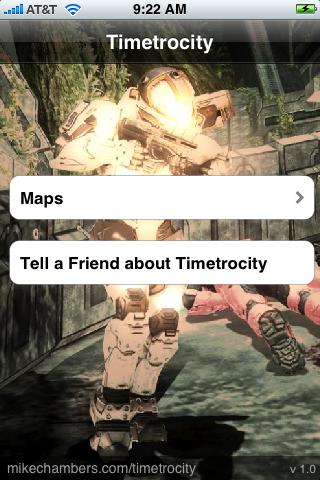
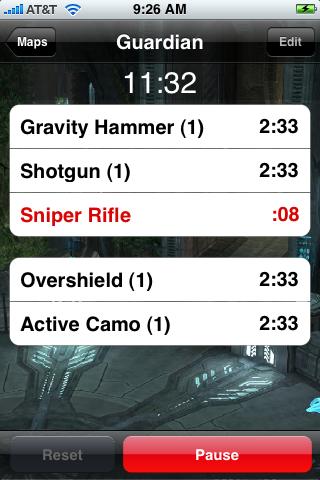
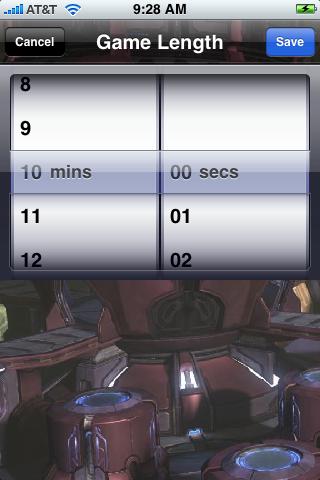
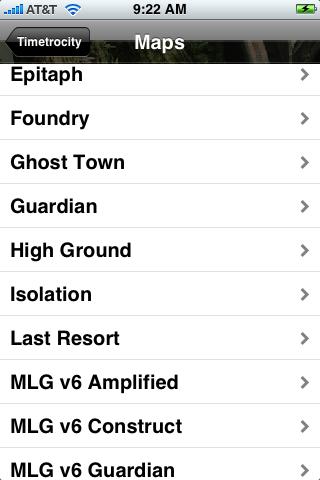
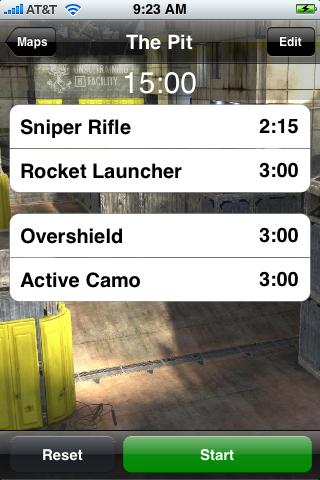
And yes, I am looking to create a Flash based version for other devices. More info on that in the future.
I have just uploaded a new class to the as3corelib library that makes it easy to monitor files for changes.
The class is called FileMonitor, and is in the com.adobe.air.filesystem package. Here is a simple example of it in use:
import com.adobe.air.filesystem.FileMonitor;
import flash.filesystem.File;
import flash.events.Event;
import com.adobe.air.filesystem.events.FileMonitorEvent;


private var monitor:FileMonitor;

private function onSelectButtonClick():void
{
	var f:File = File.desktopDirectory;
	f.addEventListener(Event.SELECT, onFileSelect);
	f.browseForOpen("Select a File to Watch.");
}

private function onFileSelect(e:Event):void
{
	var file:File = File(e.target);

	if(!monitor)
	{
		monitor = new FileMonitor();
		monitor.addEventListener(FileMonitorEvent.CHANGE, onFileChange);
		monitor.addEventListener(FileMonitorEvent.MOVE, onFileMove);
		monitor.addEventListener(FileMonitorEvent.CREATE, onFileCreate);
	}

	monitor.file = file;
	monitor.watch();
}

private function onFileChange(e:FileMonitorEvent):void
{
	trace("file was changed");
}

private function onFileMove(e:FileMonitorEvent):void
{
	trace("file was moved");
}

private function onFileCreate(e:FileMonitorEvent):void
{
	trace("file was created");
}
Note that the class broadcasts three events:
I have just uploaded my slides from my FlashCamp London presentation on migrating from ActionScript 2 to ActionScript 3 using Flash Authoring.
You can view and download the slides from here.
I am doing some work on writing FlexUnit test cases for the FileMonitor class which I have added to as3corelib. Once I wrote the test, I got the following error, which didnt make a lot of sense to me at first:
[SWF] FileWatcher2.swf - 1,040,015 bytes after decompression
Error: Error #2037: Functions called in incorrect sequence, or earlier
call was unsuccessful.
	at flash.filesystem::File/_exists()
	at flash.filesystem::File/get exists()
	at com.adobe.air.filesystem::FileMonitor/set file()[/Users/mesh/src/
as3corelib/src/com/adobe/air/filesystem/FileMonitor.as:138]
	at com.adobe.air.filesystem::FileMonitor()[/Users/mesh/src/as3corelib/
src/com/adobe/air/filesystem/FileMonitor.as:94]
	at FileWatcher2/onFileSelect()[/Users/mesh/Documents/Flex Builder 3/
FileWatcher2/src/FileWatcher2Class.as:32]</code>
The error is thrown when trying to access a property of the File class (as well as FileReference) before the class has been initialized with a file path. Specifically, the File and FileReference classes must be initialized to reference a file path, before their properties can be accessed.
I am at FITC Amsterdam this week, where I had a talk on Desktop Development with Adobe AIR. One of the things I showed was how to get notifications when new volumes / drives are added / removed to a machine. This could be useful if for example, you application needs to know when a new CD Rom or USB drive has been added or removed to the user’s system.



